Editor tools location
Editor tools allow you to extend the functionality of the Uniform's visual editor. These tools appear as additional menu items in the left side rail of the visual editor.
Editor tools can be enabled for the following contexts:
- Compositions and Composition patterns
- Component patterns
- Entries
- Entry patterns
It is possible to provide custom URLs for each of the contexts.
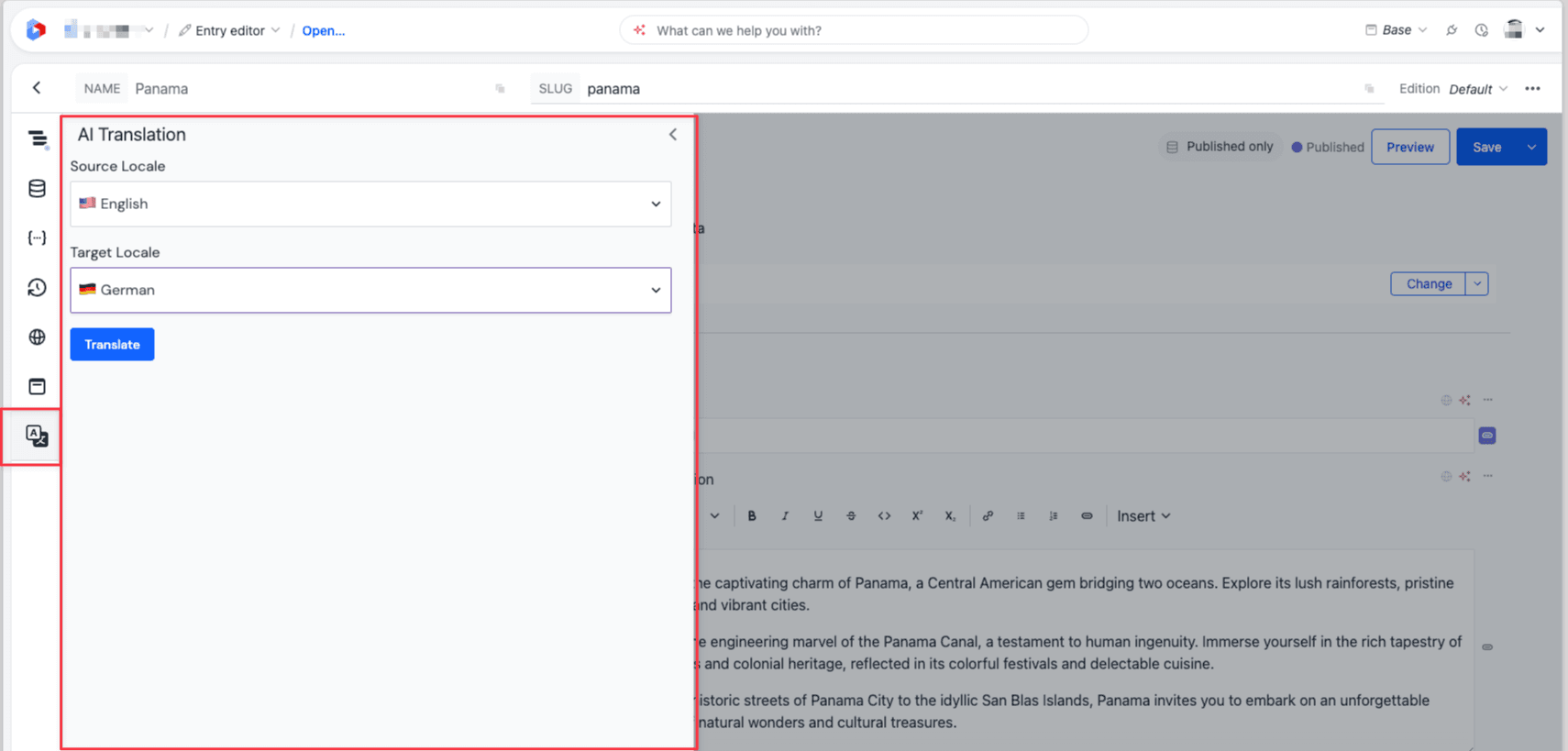
Example of the editor tool of the AI Translation integration in the visual editor.
Manifest configuration#
{
"locations": {
"canvas": {
"editorTools": [
{
"id": "translation-tool",
"name": "Example Translation Tool",
"url": "/reference/canvasEditorToolsTranslation",
"iconUrl": "/uniform.png"
},
{
"id": "composition-inspector",
"name": "Composition Inspector",
"url": "/reference/canvasEditorTools",
"iconUrl": "/uniform.png",
"editorTypes": ["composition"]
}
]
}
}
}
Each editor tool entry supports:
id— unique tool identifiername— label shown in the side railurl— page URL in your mesh appiconUrl— optional iconeditorTypes— optional list limiting which editor contexts show the tool (composition,componentPattern,compositionDefaults,entry,entryPattern)
Location metadata#
Use useMeshLocation('canvasEditorTools') to access the tool's metadata and value:
| API | Description |
|---|---|
value.rootEntity | Serialized composition (RootComponentInstance) or entry (EntryData) tree |
value.entityType | Editor context: composition, componentPattern, compositionDefaults, entry, or entryPattern |
value.patternNamesIndex | Pattern name lookup (compositions only) |
value.entryNamesIndex | Entry name lookup (compositions only) |
metadata.currentLocale | Locale currently selected in the editor UI |
metadata.dynamicInputs | Dynamic inputs from the project map node (if any) |
metadata.componentDefinitions | Component definitions index keyed by public ID |
metadata.releaseId | Release ID of the entity being edited (if in a release) |
metadata.activeReleaseId | Active release ID from the editor context |
Editor state API#
Editor tools receive an imperative editorState object through useMeshLocation('canvasEditorTools') for reading and mutating the surrounding composition or entry. See the Editor state API documentation for the full method reference and a translation example.
Examples#
For working examples of editor tools, see the Mesh integration starter kit:
canvasEditorTools.tsx— tree inspector using the editor state API to walk nodes and update propertiescanvasEditorToolsTranslation.tsx— translation tool that walks the full tree and writes translated values across locales