Uniform Asset Library
Managing digital assets is a critical part of delivering great digital experiences. Uniform provides a built-in Asset Library for teams that need capable asset management out of the box, while maintaining full composability with any external digital asset management (DAM) system through Uniform Mesh.
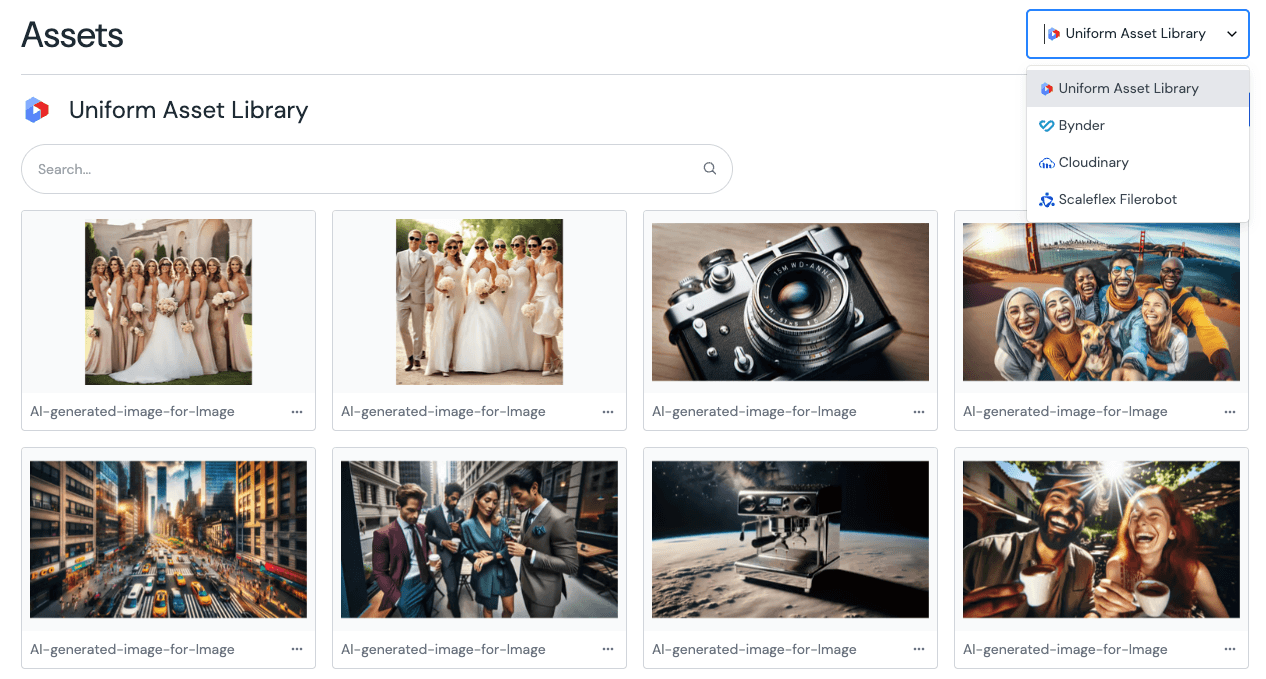
Built-in Asset Library#
The Uniform Asset Library gives your team a central place to upload, organize, and manage media files directly inside Uniform, no additional system required.
Supported file types#
- Content Types: Formerly called mime-types. The following file types can be uploaded:
- Images: .jpg, .jpeg, .jfif, .pjpeg, .pjp, .png, .gif, .svg, .webp, .apng, .avif
- Video: .mp4, .webm, .ogg
- Audio: .mp3, .wav, .ogg, .flac
- Other: .pdf, .doc, .docx, .xls, .xlsx, .ppt, .pptx, .csv, .txt, .md, .json, .zip, .lottie, .srt, .vtt
- File size: 50 MB
- Files per upload: 10
Smart focal point cropping#
When images need to appear across different screen sizes and aspect ratios, the built-in focal point tool lets you control which part of the image stays in frame. Set the focal point visually, preview how the image will look at different dimensions, and save — no code required.
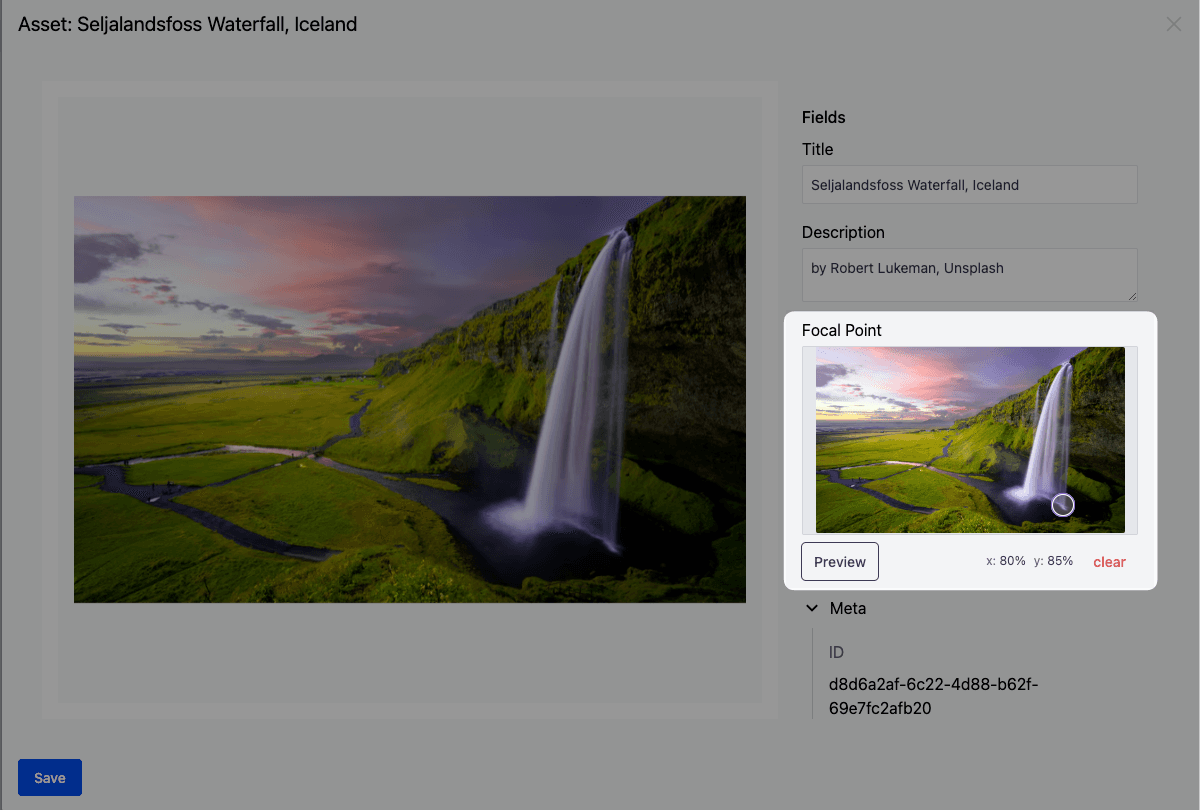
The focal point is automatically respected when images are delivered through the Image Delivery API, so your images always look right on every device.
For more details, see the focal point guide.
Usage tracking#
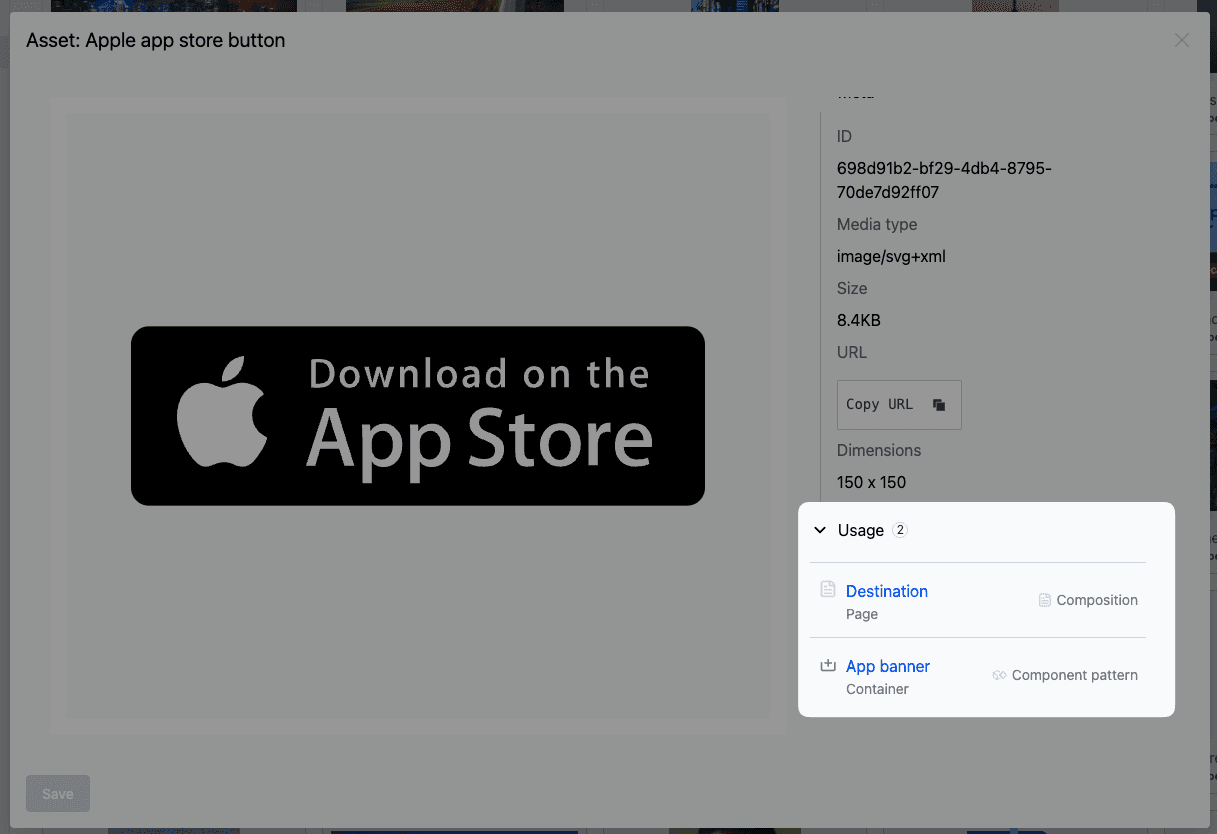
Every asset in the library includes a Usage section that shows exactly where it is being used across your compositions, patterns, and entries. This makes it easy to understand the impact of changing or removing an asset before you do it.
Fast global delivery#
Images managed in the Uniform Asset Library are optimized and delivered via a global CDN through the Image Delivery API. The CDN automatically serves images in the best format for each visitor's browser (AVIF, WebP, or the source format) and supports on-the-fly transformations such as resizing, cropping, and focal point-aware scaling.
For full details on image transformations and delivery, see the Image Delivery API guide.
Composability with external DAM systems#
While the built-in Asset Library covers many use cases, some teams already rely on a fit-for-purpose DAM system for their media workflows. Uniform makes it easy to connect your existing DAM and use assets from it directly within compositions and entries, alongside assets from the built-in library.
Supported DAM integrations#
Uniform provides ready-to-use integrations for leading DAM platforms:
tip
Don't see your DAM listed? Reach out to the Uniform team — new DAM integrations can be added per request.
Once connected, editors can browse and select assets from their DAM directly inside Uniform, with no context switching required. Filtering and management options adapt to each connected system.
Ready to dive in?#
Asset Library guide
Upload, manage, and organize your assets.
Using assets in compositions
Add assets to components and content types.
Image Delivery API
Optimize and transform images on the fly.
DAM integrations
Connect your existing DAM system.