Uniform Search
Uniform Search is site search that is built into Uniform. It indexes your content automatically, finds results by keyword and by meaning, and lets business users build search pages in Canvas without code.
You can have a search page up and running in 30 minutes or less.
Availability
Uniform Search is an add-on for Uniform plans. Uniform activates Uniform Search for your team and sets it up for your projects. To get Uniform Search, request activation and book a meeting with the Uniform team.
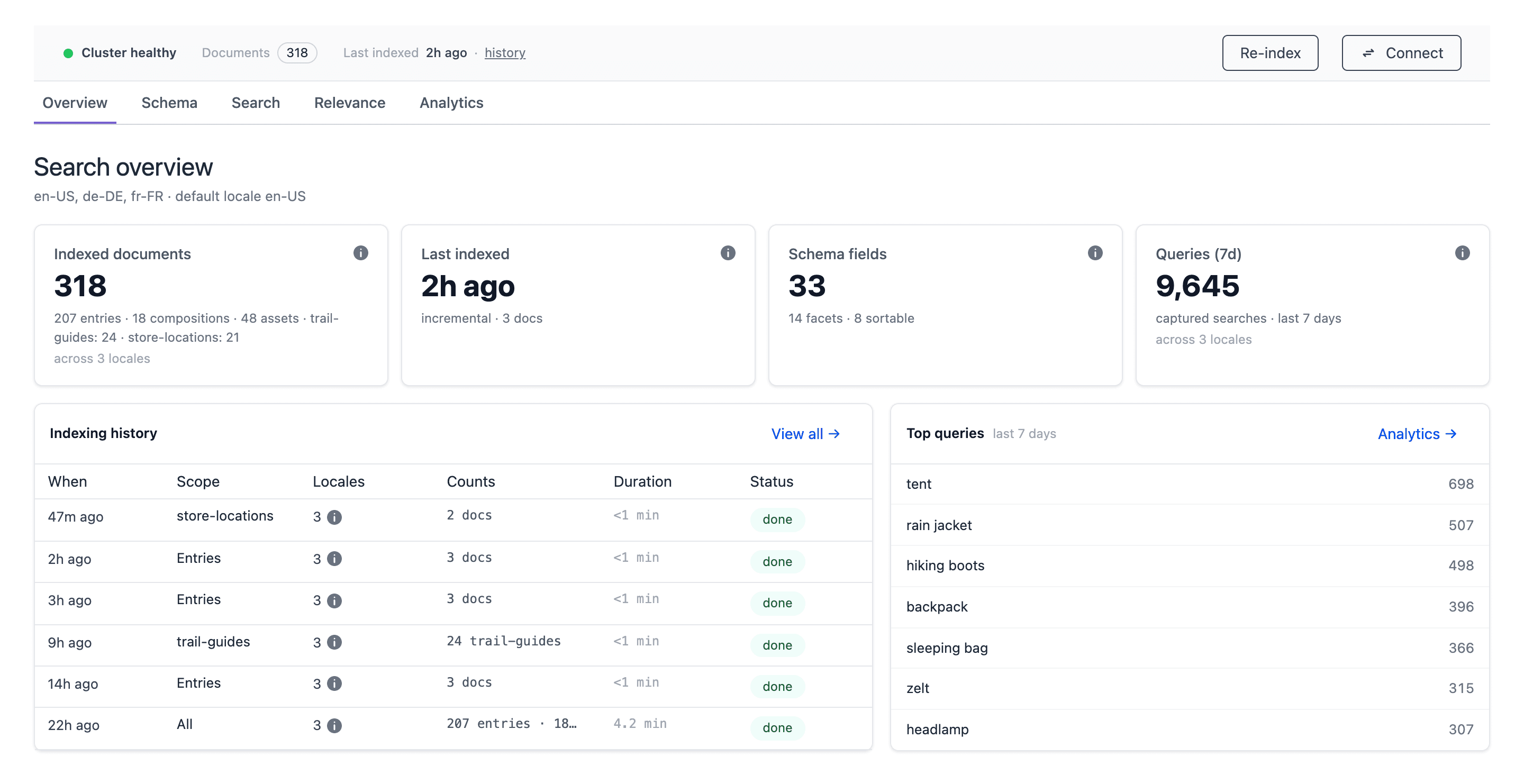
Why Uniform Search#
Most site search products are separate systems. You must copy content into them, keep the copy up to date, and build the search page in code. Uniform Search removes this work.
Plug and play#
Uniform Search reads your entries, compositions, and assets directly from your Uniform project. You select what to index, and Uniform Search does the rest:
- When an author publishes or deletes content, Uniform Search updates the search index automatically.
- Compositions get their URL from your project map, so results always link to the correct page.
- Ready-made search components for Canvas give you a search box, results, facets, sort, and pagination.
- A command-line tool and an agent skill for AI coding assistants add search to a Next.js app for you.
AI-powered semantic search#
Visitors do not always use the same words as your content. Semantic search uses AI to find results by meaning. For example, a search for "waterproof jacket for hiking" can find a product called "Alpine rain shell".
Uniform Search blends semantic results with keyword relevance. This is hybrid search. You get the precision of keywords and the reach of AI in one result list. Uniform Search can also show items that are similar to the item that a visitor looks at.
Results that know your visitor#
Uniform Search connects to Uniform Context, the Uniform personalization engine. When a visitor shows interest in a topic, Uniform Search can put the matching results first. This is behavior relevancy.
The Recommendations component uses the same data. It shows each visitor the content that matches their interests, with no extra setup for your enrichments.
Index everything that your visitors look for#
Your visitors look for more than your Uniform content. Uniform Search can index:
| Source | What Uniform Search indexes |
|---|---|
| Entries | The fields that you select from your content types. |
| Compositions | Published pages that have a node in the project map. |
| Assets | Asset data, and the text in PDF and Office files. |
| External sources | Records from your other systems, such as a product catalog or a knowledge base. Uniform Search can fetch the records from your API, or your system can push the records to Uniform Search. |
Computed fields let developers add values that do not exist in the content, such as a price with tax or a label for a facet.
Full control over relevance#
Your team decides what visitors see first:
- Synonyms connect words with the same meaning, such as "sofa" and "couch".
- Curations pin or hide results for a query.
- Stopwords remove words that do not help the search.
- Analytics show popular queries and queries with no results, so you know what to correct next.
Relevance changes apply immediately. You do not need to re-index your content.
Enterprise infrastructure#
Uniform Search runs on search infrastructure that is dedicated to your organization:
- Isolated for each customer. Your search index does not share search infrastructure with other customers.
- Multi-region. Uniform Search keeps a full copy of your search index in 3 or 5 regions. If one region has a problem, the other regions continue to serve search.
- Your choice of region. Select from more than 20 regions in North America, South America, Europe, Africa, the Middle East, and Asia-Pacific.
- CDN-backed delivery. Search traffic uses a global content delivery network (CDN).
- Fast. Results come back in milliseconds, and typo tolerance finds results when visitors spell a word incorrectly.
- Zero-downtime re-index. When you re-index your content, visitors can continue to search. The new version replaces the old version only when it is complete.
How Uniform Search works#
- A team admin selects the content to index in the Uniform Search tool.
- Uniform Search indexes the content. After that, each publish or delete in Uniform updates the search index automatically.
- A developer adds the search components to the website with the Search SDK.
- Business users build and change search pages in Canvas.
- Visitors search on the website. The website sends each query to the Search API with a read-only search API key.
Who does what#
Uniform Search has tasks for different roles. Each guide is for one role.
Configure search
Developers: select search sources, set up the schema, add computed fields and external sources, and tune relevance.
Use the Search SDK and API
Developers: add search to your front end with the Search SDK, React hooks, and the Search API.
Operate search
Administrators: re-index content, monitor the search index, manage keys, and read analytics.
Build search experiences
Business users: build and manage search pages visually in Canvas.
Get started in 30 minutes#
When the Uniform team has set up Uniform Search for your project, do these steps:
- Open the Uniform Search tool and select the content to index. Refer to Configure search.
- Start the first re-index. Refer to Operate search.
- Get a search API key and add the search components to your Next.js app. Refer to Use the Search SDK and API.
- Build your search page in Canvas. Refer to Build search experiences.
tip
Use an AI coding assistant for step 3. The Uniform agent skills include a skill for Uniform Search. Ask your assistant to add Uniform Search to your app.
Security and data#
- Only team admins can open the Uniform Search tool and change the search configuration. Uniform Search records who started each operation.
- The search API key for your website is read-only and works for one project only.
- Push API keys and the credentials for external sources stay on the server. Uniform Search encrypts stored credentials.
- Your search index stays in the regions that you select. To keep all search data in Europe, tell your Uniform representative to select only European regions. Refer to Regions and data residency.
Semantic search and data residency
When semantic search is on, Uniform Search sends content text and search queries to an AI service in the United States. The AI service converts the text into vectors that describe its meaning. If your data must stay in one region, discuss this with your Uniform representative before you turn on semantic search.