Asset Studio
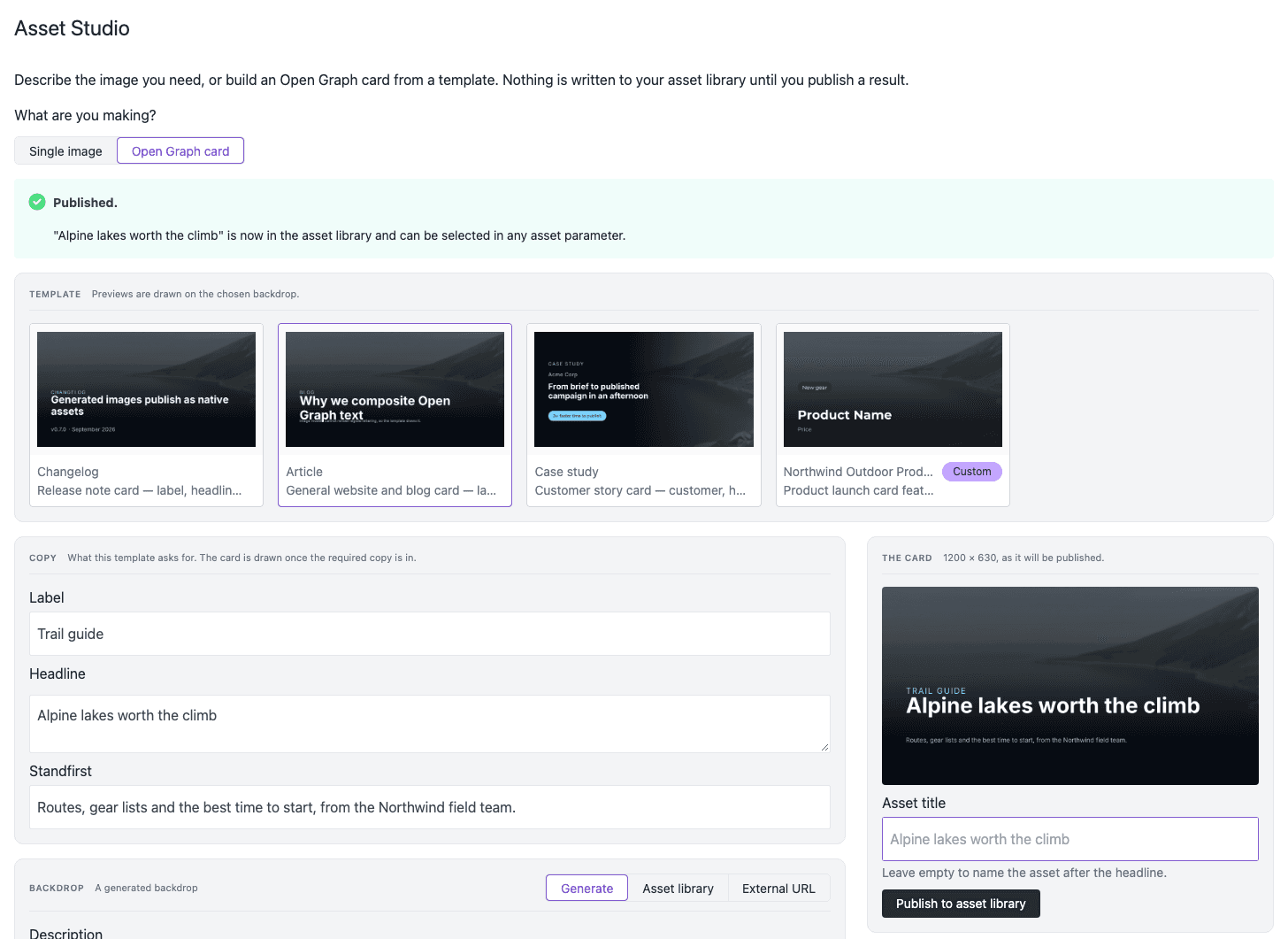
Asset Studio makes images with AI in the Uniform dashboard. You describe an image, compare the results, and publish the image that you keep. Asset Studio also makes Open Graph cards: social images with your headline on a backdrop.
Each image that you publish goes into the Uniform asset library of your project. It is a usual Uniform asset. You can select it in all asset parameters, and it stays in your library if you remove Asset Studio.
Use Asset Studio to:
- Make a hero image for a page while you edit the page.
- Make a set of images in the same style for a campaign.
- Make a social sharing card for a blog post, a release note, or a customer story.
- Give your team card templates that use your colors, typefaces, and logo.
What Asset Studio gives you#
Set up
Add your AI Gateway key, then select the image model and the default size.
Generate images
Describe an image, compare the variations, and publish the image that you keep.
Open Graph cards
Put your copy on a backdrop from AI, from your asset library, or from a URL.
Card templates
Make card templates for your brand, from a built-in template, from zero, or from a description.
FAQ
Costs, models, permissions, and what to do if a generation fails.
Where you find Asset Studio#
Asset Studio shows in four places in a project. The first three places have the full studio. The AI button shows a smaller panel that runs one prepared prompt.
| Place | How to open it | What happens when you publish |
|---|---|---|
| Project tool | In the project navigation, select Tools, then select Asset Studio. | The image goes into the asset library. |
| Asset library source | Go to Experience > Assets. In the Source group, select Asset Studio. | The image goes into the asset library. |
| Asset parameter | In a composition or entry, open the asset selector of an asset parameter. Select Asset Studio as the source. | The image goes into the asset library, and the parameter gets the image. |
| AI button | On an asset parameter, select the AI icon. Then select an Asset Studio prompt. | The image goes into the asset library, and the parameter gets the image. |
For the steps, see generate images.
How Asset Studio works#
Asset Studio sends your prompt to an image model through Vercel AI Gateway. Your team adds its own AI Gateway key, so you select the models and you pay the model costs directly. Asset Studio does not use Uniform AI credits.
Asset Studio works as you. It uses your Uniform sign-in and your permissions. You do not need a Uniform API key. To publish an image, you need permission to add files and assets in the project.
In the studio, nothing goes into your asset library until you publish an image, and each generation starts only when you select Generate. An automation is different: after an administrator publishes it, it makes and publishes cards without an author.
Get Asset Studio#
Uniform activates Asset Studio for your team. To get Asset Studio, request activation. After activation, set up Asset Studio in each project.