Releases
With Uniform releases, editors can edit, preview and review content ahead of time to better manage campaigns, event-driven content, product launches and more. Compositions, entries and patterns can all be added to a release, and then launched together in-bulk either manually, or automatically at a scheduled date and time in the future.
By using releases, editors will be able to:
- Build and publish content in a preview environment away from production to review multiple content edits at the same time.
- Create and schedule multiple iterations of content ahead of time, to support regularly updating content – such as a daily promotion that appears on a home page.
- Launch content in bulk across multiple pages and entities, allowing for large campaigns or broad-spanning content releases to be handled in a single place.
How does a release work?#
A release acts as a container for all the content that is created, edited, deleted or unpublished during the time in which it is active. After a release has been created, an editor can activate the release at any time, at which point every time a piece of content is saved, a copy of that content will be created and placed in the release, instead of being managed in the "base" of the project.
What is the "base" state?#
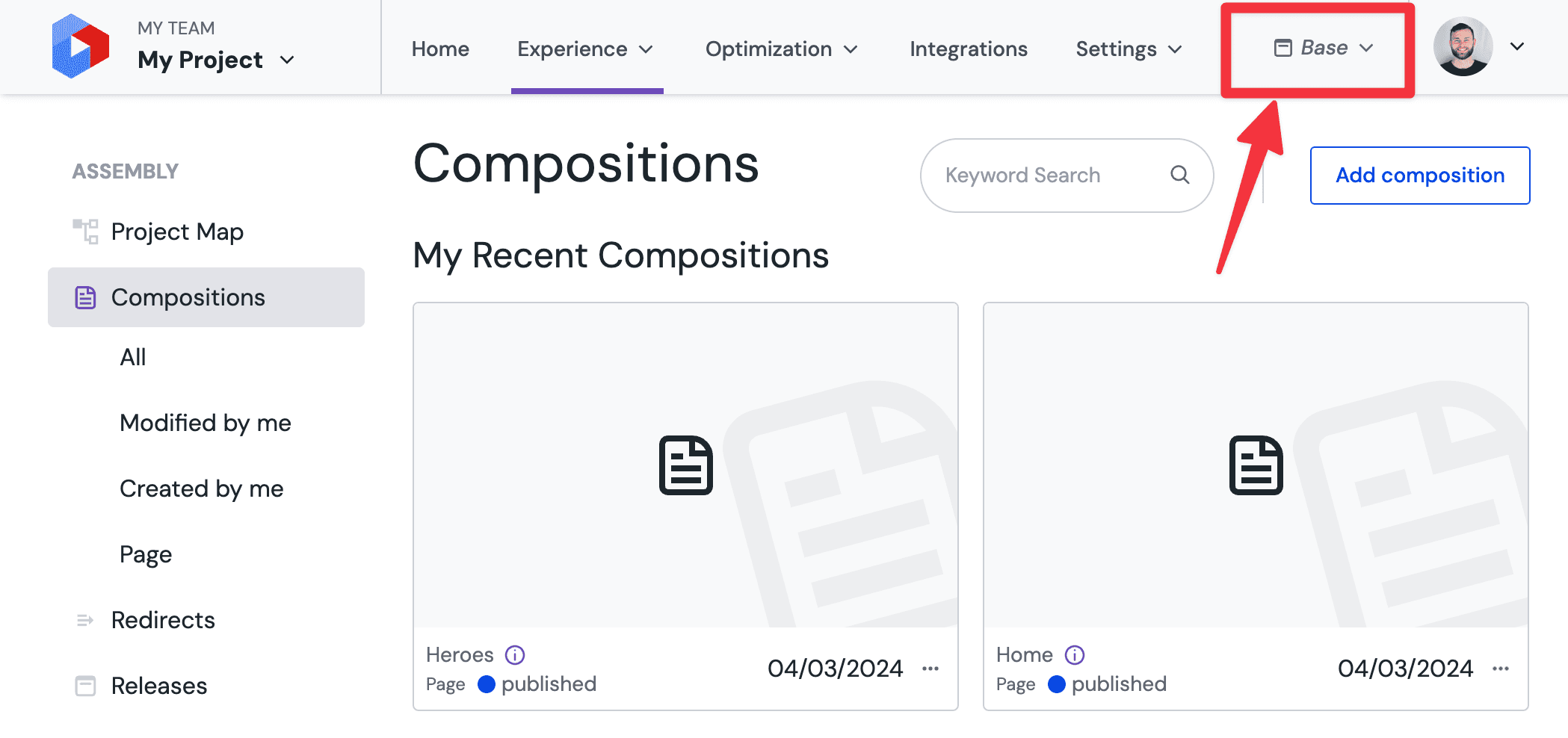
Base is the default editing environment for content inside of Uniform, and the target state for any content which is copied into a release and launched at a later date. In this sense, "base" can be considered as the "main" or "production" state for content, and all Uniform processes such as API requests or our content delivery system will pull content from the base state by default unless otherwise requested.
Every Uniform project comes with a base state, which you will be able to see in the main navigation:
Mechanics of a release#
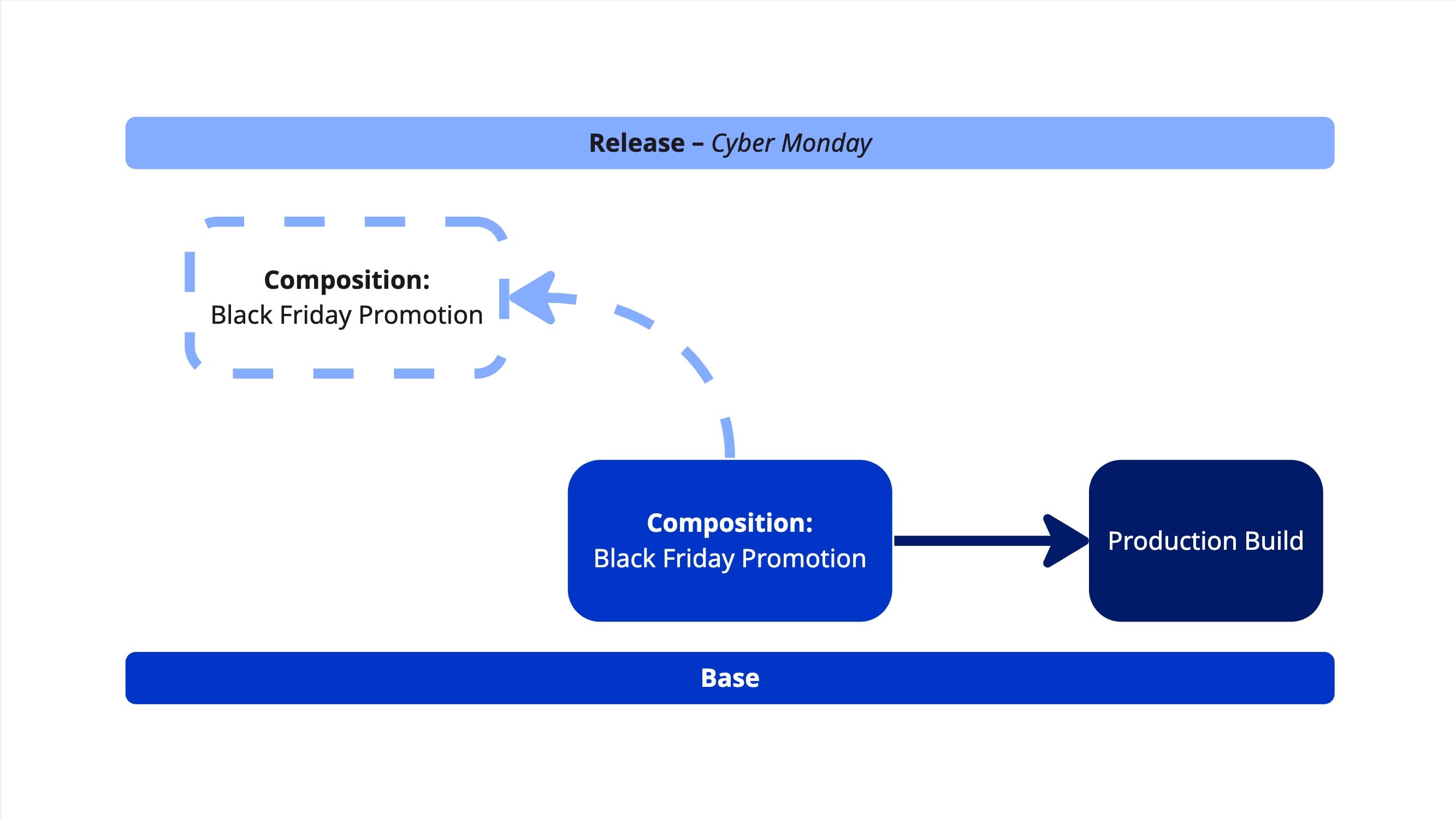
Initially, when you create and activate a release the project will be inheriting content entirely from base. When you open a Composition, it will be the base version of that composition which you are viewing:
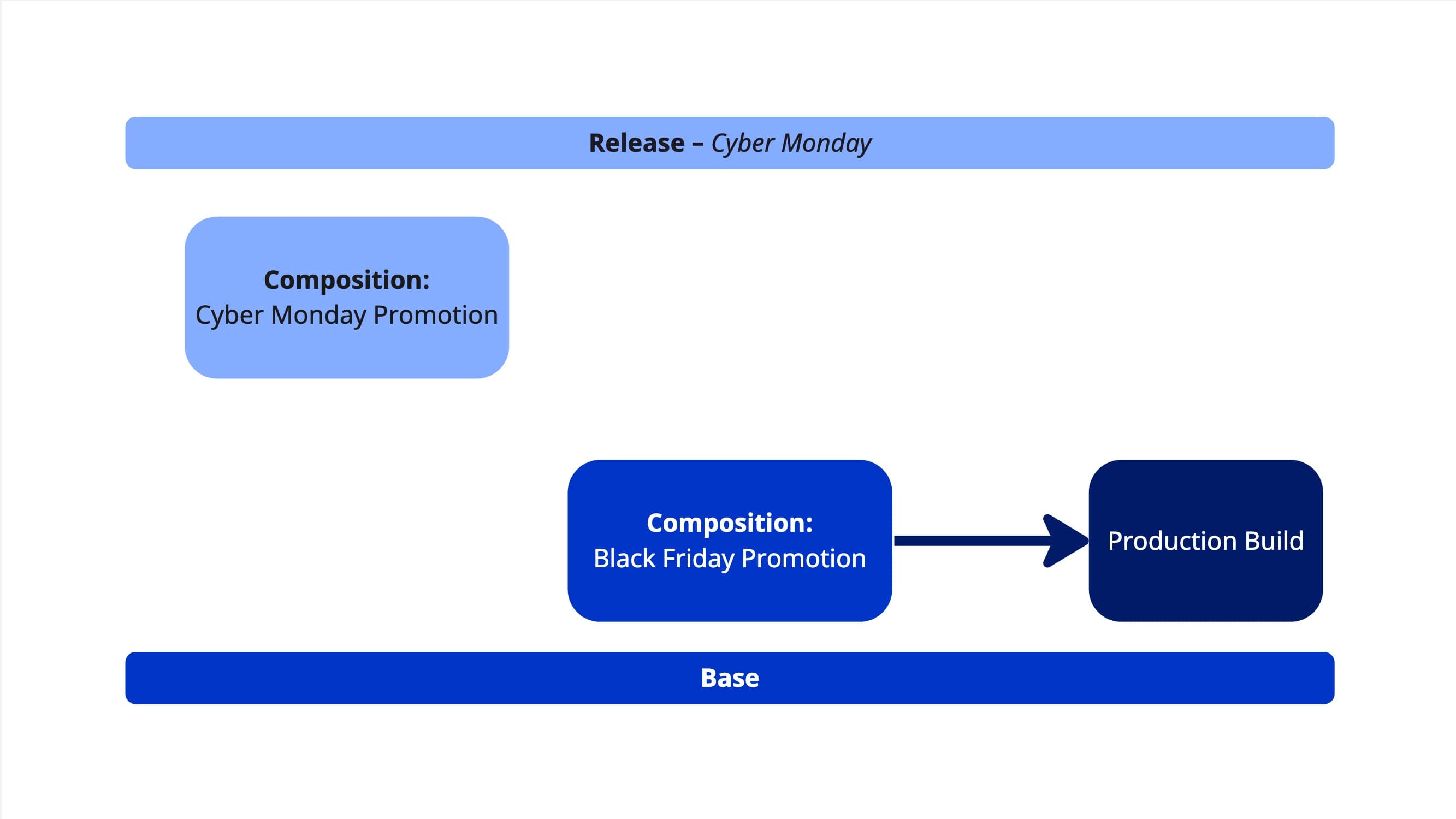
The moment you make any edits to a piece of content when inside of an active release, you will be asked if you would like to copy that content into the release. Once copied, the content in the release will no longer be inheriting from the base state of the project, and any further changes in base will not propagate to the copy in the release:
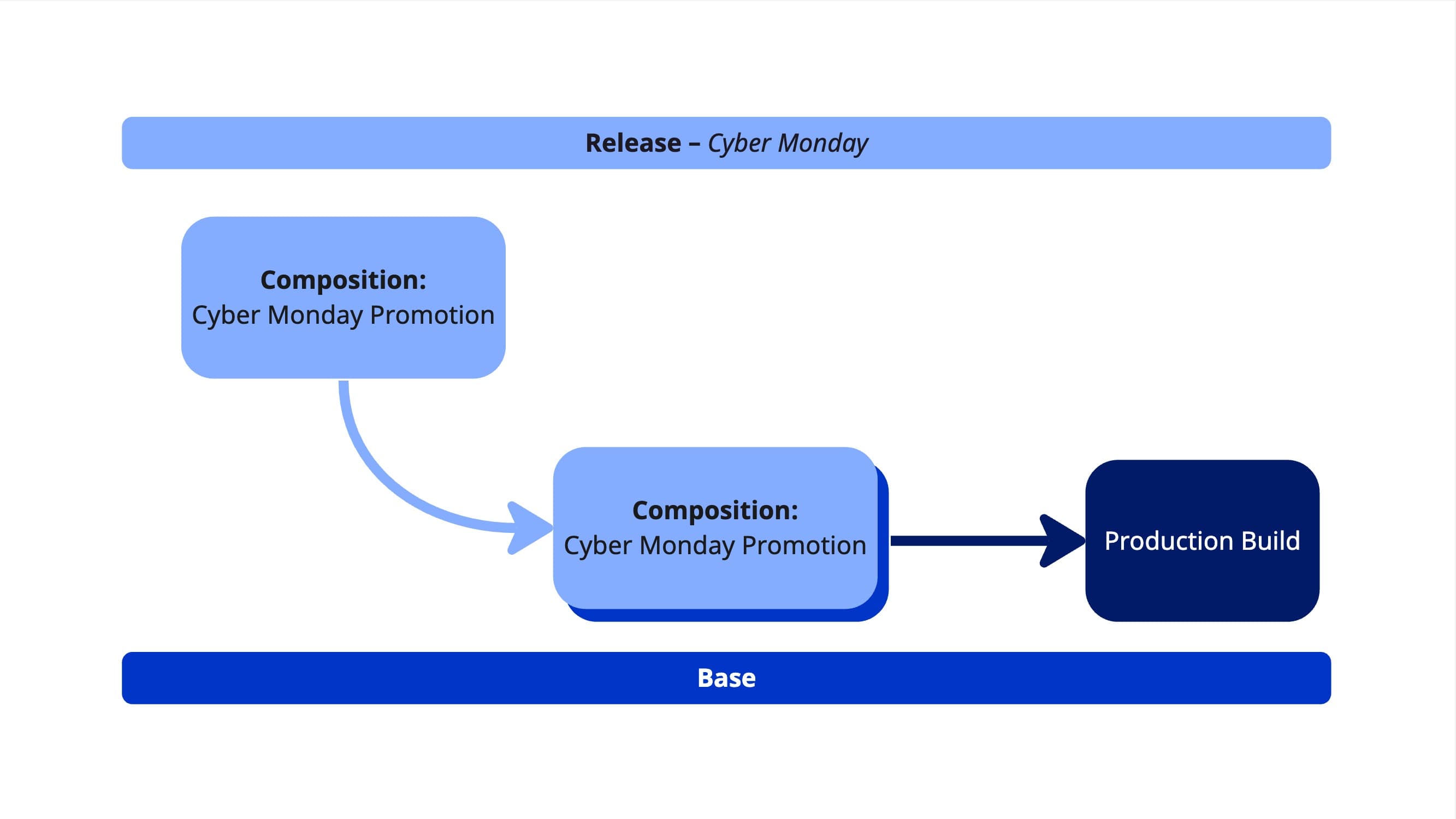
When a release is launched, all content which was copied to the release will replace the content which is currently in the base state:
Releases are also able to support the creation of brand new content, the publishing of content which is only in draft or the deletion or un-publishing of currently existing content. This works in the same way as above, content that is created or deleted when a release is active will only be saved to the release and that state change will come into effect only when the release is launched. You can find out more in Create a release and add content.
What type of content can be inside of a release?#
Releases support all of the core content objects of Uniform:
- Compositions
- Entries
- Patterns
Note that data resources, which allow content from external sources to be connected to the entities above, are also supported by releases. This means that selections of items from external sources, configuration of data resources or brand new data resources can also be created and edited as part of a release.
Objects not supported by releases
Releases do not currently support assets, the versioning or modification of entities used within Uniform Context, or the entities that control modelling of content such as Component Definitions, Content Types and Data Types. You can learn more about this in the limitations.
Working with releases#
| Topic | Description |
|---|---|
| Manage releases | Browse, search, and monitor your releases using the Scheduled, Unscheduled, and Launched views, and activate or switch between releases. |
| Create a release and add content | Create a new release, copy content into it, create new content inside it, and manage the publishing state of release content. |
| Launch a release | Launch a release immediately or schedule it to launch automatically at a future date and time. |
| Preview release content | Preview release content in the visual editor, share release-scoped previews with stakeholders, and integrate release-aware previews into custom frontends. |
| Webhooks and rebuilds | Configure webhooks and rebuild strategies so that production sites are only rebuilt at the right moments during the release lifecycle. |
Roles and permissions#
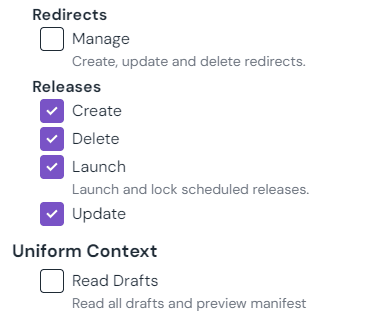
Four permissions support the releases feature:
- Releases Create – controls the ability for users to create a new release.
- Releases Update – controls the ability for users to edit release details, such as the name or the tentative schedule date.
- Releases Delete – controls the ability for a user to delete a release.
- Releases Launch – controls the ability for a user to launch a release. This includes the ability to lock a release with a schedule for launch at a later date.
Adding and removing content for a release involves the creation and deletion of content records that are scoped to the release. As such, permissions for this action are controlled by the permission within the Compositions/Entries/Assets permission category.
Be sure to check roles
Roles that were created before this feature was released (April '24) will have permissions for releases disabled by default for all non-Admins. To enable access, simply update your roles.
Limitations#
The releases feature has the following limitations:
- Supported entities – releases are designed to help users preview, modify and launch content, and as such the entities that can be copied into a release are limited to:
- Compositions (and patterns)
- Entries
- 250 content items/release – a single release can hold a maximum of 250 content items (compositions, entries or patterns). This limitation ensures that releases can be launched in a time effective manner.
- 1000 open releases/project – there is a soft-limit of 1000 open releases per projects. An open release, for the purpose of this limit, is a release that is neither deleted, or already launched.
- For customers that are not subscribed to an enterprise plan, this limit is reduced to 1 open release/project.
- Processing time for releases – the launch process for releases is an asynchronous process handled by Uniform's servers. The processing time for this process is dependent on multiple factors, such as the amount of content in the release. As such, Uniform can not guarantee that scheduled content will be available at the exact time of a scheduled launch. To know when a scheduled release has finished processing, we recommend taking advantage of our webhooks.
- Note: most releases should not take longer than 60 seconds to launch.
- CLI Support – releases are not supported for the Uniform sync commands via the CLI. These commands are used to serialize projects for import & export purposes, which can cause issues for ephemeral entities such as releases that can be scheduled and launched.
- Note: releases are supported fully by the Uniform API.